Frequently asked questions.
Answers to the questions CRE teams ask most often about Foresight: supported documents, extraction accuracy, pricing, security, and integrations. Can't find what you need? Contact us and a real person will answer.
Getting started
How to begin using Foresight with your own documents and deals.
What document types does Foresight support?
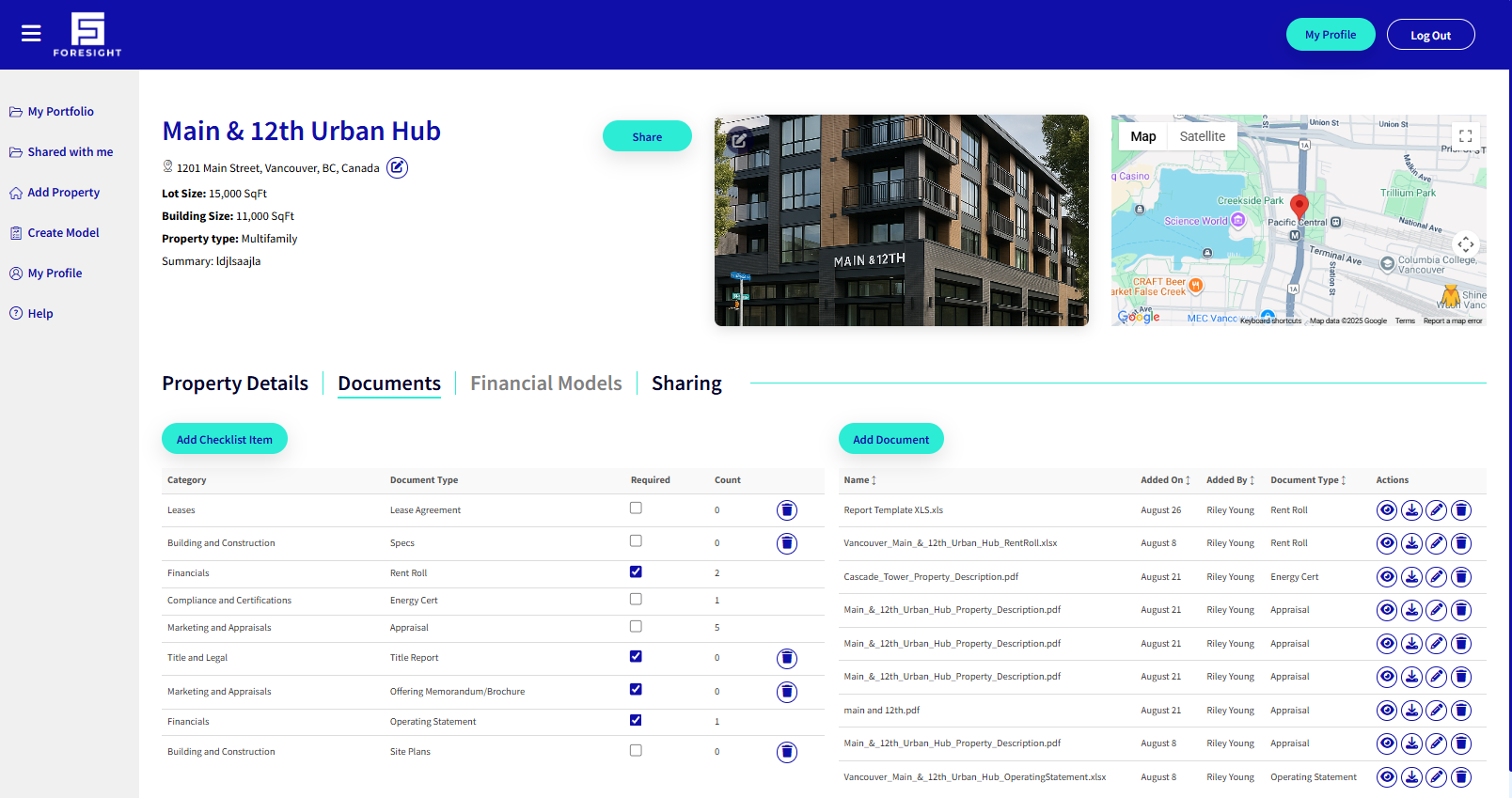
Foresight currently supports PDF and Excel documents for AI extraction, with more formats planned. For unsupported formats, you can manually create tenant details or use the import template to bring data into a property profile.
How long does it take to process my first document?
Most documents process in around 60 seconds. You upload a rent roll, appraisal, offering memorandum, or operating statement and Foresight returns a structured property profile with financials, unit mix, and lease data extracted automatically.
Do I need to replace my existing tools to use Foresight?
No. Foresight plugs into the CRM, accounting, and project management systems you already run via customizable APIs, so you can adopt it alongside your existing stack. See the small business solution or enterprise solution for team-specific rollout details.
Extraction & analysis
How Foresight extracts your documents, structures the data, and works alongside your own Excel models.
Can I keep multiple analyses on the same asset?
Yes. Every document extraction and analyst note is stored on the property file for future reference, so you can keep multiple versions side by side without losing history. Learn more on our automated underwriting page.
Can I use my own Excel model with Foresight's extracted data?
Yes. Reports can be downloaded in PDF or Excel formats, so you can pull structured extracted data into your own Excel model rather than re-keying it by hand. Or work directly in Foresight's underwriting workspace, whichever fits your workflow.
How accurate is the extracted data?
Foresight achieves 99%+ accuracy on rent roll and operating statement fields. Every extracted value is reviewable against its source line in the original document, so your team can verify any number before it reaches an investment committee.
Collaboration & access
How teams share property profiles, data rooms, and deal records.
Can my whole team work from the same property profile?
Yes. Every property profile is a shared, living record. Teammates with access see field edits, new documents, and updated valuations instantly, so nobody works from a stale spreadsheet. Role-based permissions control who can edit versus view.
How do data rooms work?
You can turn any property profile into a permissioned, branded intelligent data room and share it with buyers, lenders, or partners in a few clicks. Access is role-based and every interaction is tracked.
Plans & support
Pricing, onboarding, and team size.
Is there a version for small teams?
Yes. The small business solution gives growing CRE teams the same extraction, property profiles, and integrations at their scale, with centralized license management and shared organization-wide data.
Does Foresight offer an enterprise plan?
Yes. The enterprise solution adds centralized user administration, organization-wide property profile access, customizable API integrations, and historical data migration services for large CRE organizations.
How do I get help or request a document template?
Email [email protected] or use the form on our contact page. If you have a document template you'd like automated, let us know and our team will take a look.
Get answers with your own document on the call.
Create an account and explore Foresight on your own, or book a 30-minute demo and we'll run through any questions you have using a document you bring.